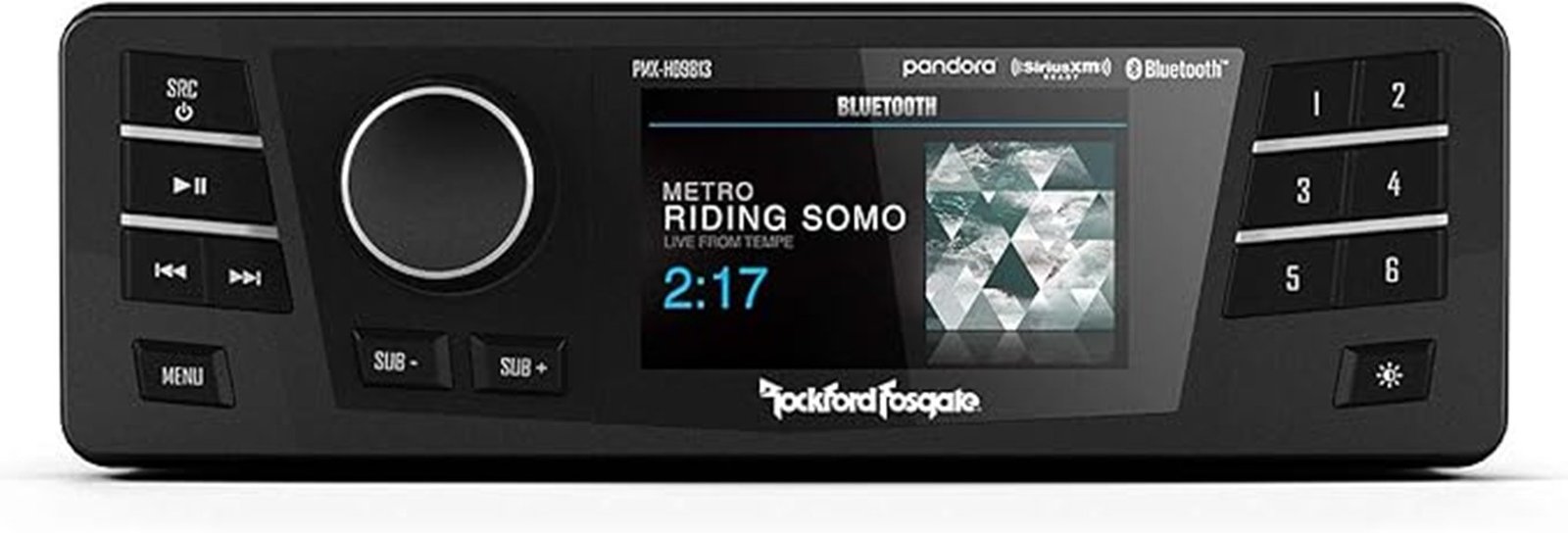
You’ll get a purpose‑built Harley drop‑in for many 1998–2013 touring fairings that keeps glove‑friendly controls, a bright 3.0″ TFT, USB/AUX and antenna inputs, and weatherproofing for road use. It supplies 4V preouts, four amplified channels, DSP with 7‑band and parametric EQ, and solid gain staging with sub control. Installation uses the factory harness but confirm connectors and harness year. Keep going and you’ll find fitment details, wiring tips, and comparison notes.
Some Key Takeaways
- Direct fit for many 1998–2013 Harley touring models using OEM radio cavity and factory harness, but verify year and fairing harness first.
- 3.0″ day/night TFT and oversized glove‑friendly buttons provide clear, usable controls while riding.
- Four‑volt preouts, four-channel amp, 7‑band EQ and PEQ deliver high‑headroom, tunable motorcycle audio performance.
- Weatherproof front panel, USB (1.5A), AUX, and satellite‑ready inputs support robust connectivity on the road.
- Install requires confirming connectors/pinouts, possible factory adapters, secure grounding, and mounting with included bracket.
Which Harley Models and Years Is the PMX‑HD9813 Directly Compatible With?
While the PMX‑HD9813 is built as a direct replacement for select Harley‑Davidson models, you’ll want to confirm fitment against your specific year and fairing harness: it’s compatible with many Harley touring bikes from 1998 through 2013 that use the OEM radio cavity and factory wiring harness. You’ll appreciate the Roadtested compatibility data and clear Model year mapping when checking fit. Verify connector types (3.5mm, USB) and harness pinouts, note required factory adapters, and confirm physical mounting dimensions. If you’re part of the Harley community, this precise checklist helps you install confidently and keep your ride together. For installations involving multiple accessories, consult a marine-grade electrical panel guide to ensure proper power distribution and circuit protection.
What the PMX‑HD9813 Includes: Key Features and Physical Controls
After you’ve confirmed fitment and wiring, the PMX‑HD9813’s feature set and physical controls become the practical focus for installation and daily use. You get a 3.0″ ultra‑bright TFT with day/night modes, oversized buttons for gloved operation, and a clear button layout that groups source, volume, track, and phone controls. Hardware includes USB (1.5A charging), AUX, 3.5mm jack, and antenna-ready satellite input. Weatherproofing features protect buttons and front panel from road spray. Remote control compatibility and Pandora/Bluetooth support extend control options. The unit’s tactile controls and logical layout give you confidence and community-ready functionality. It also complements other marine and boating accessories like USB charging ports commonly used by boating enthusiasts.
How the PMX‑HD9813 Sounds and Processes Audio on a Harley
Because the PMX‑HD9813 puts 4‑volt preamp outputs and four channels of amplification at your disposal, you get a clean, high‑headroom signal path that translates to tighter bass and clearer mids on a Harley’s open‑cabinet environment. You’ll notice improved sound staging as the PEQ and 7‑band graphic EQ let you time-align and sculpt frequencies so front and rear speakers breathe separately. The unit’s DSP minimizes processing latency, keeping audio tightly locked to engine rhythm and voice prompts. You’ll appreciate transparent gain structure, independent sub level control, and presets that help you and your riding group share consistent, detailed sound. It also pairs well with other marine-grade and motorcycle audio components commonly recommended by retailers who specialize in boat and riding sound systems, making it a versatile choice for riders who enjoy both motorcycles and boating marine stereo systems.
Installation, Wiring, and Practical Fitment Tips for Harley Owners
If you’re swapping in the PMX‑HD9813, plan your wiring and mounting before you touch the dash so the direct‑fit process stays fast and clean. You’ll use the factory harness and connectors—verify pinouts, secure grounds, and label leads for accessories. Route USB and AUX away from heat and pinch points; zip‑tie and heat‑shrink splices. Use the included bracket or a billet adapter for solid weatherproof mounting and to keep the face accessible. Position the head unit for glove‑friendly controls and sightlines. Test speaker outputs, preamp voltages, and Bluetooth operation before reassembling to guarantee a reliable, tidy install. Also consider compatible marine or motorcycle-specific audio accessories like marine-grade speakers to ensure durability in wet or salty conditions.
Is It Worth Buying? Pricing, Warranty, Alternatives, and Final Buying Checklist
You’ve prepped the wiring and confirmed fitment, so now ask whether the PMX‑HD9813 justifies the outlay. You’ll weigh pricing strategy against features: solid 4V preouts, glove‑friendly controls, and day/night TFT justify mid‑range cost if you value durability. Check warranty comparison — Rockford’s 2‑year full warranty plus 30‑day return beats many rivals. Consider alternative models for budget or premium needs, but choose one that matches your harness and power. Final buying checklist: confirm year fitment, verify connectors, test Bluetooth/USB, inspect weatherproofing, and register the unit for warranty — join fellow riders who demand reliable installs. Also consider how the unit complements your onboard audio setup and marine lifestyle by supporting marine Bluetooth receivers for boats and boating.
Some Questions Answered
Can I Keep My Factory Handlebar Audio Controls With This Unit?
Yes — you can retain switches. You’ll keep your factory handlebar audio controls if you use the correct wiring adapters and factory wiring harness. You’ll want adapters that map the OEM switch signals to the PMX-HD9813’s input pins or an interface module that translates CAN/analog commands. Follow wiring diagrams, test button mapping, and secure grounds. You’ll feel confident joining the bike’s original controls to the new unit with professional-grade adapters.
Does the Pmx‑Hd9813 Support Voice Assistants Like Siri or Google Assistant?
Yes — you can use voice assistants via Bluetooth, but there’s nuance. You’ll get voice control (Siri/Google Assistant) through your paired phone; the PMX‑HD9813 forwards assistant pairing to your phone’s voice assistant rather than hosting a native assistant. You’ll pair your phone, enable Bluetooth voice prompts, and use the bike’s mic/button inputs for commands. You’ll feel supported and connected, with precise audio routing and clear assistant interaction while riding.
Will It Work With Heated Grips and Other High‑Current Accessories?
Yes — it’ll work, but you’ll want to manage Power handling and Ground isolation carefully. You’re connecting to the bike’s factory harness, so make certain the charging circuit and accessory fuse can handle heated grips and other high‑current accessories without voltage sag. Use dedicated fused feeds or a relay for draws above spec, and isolate grounds to avoid audio noise. Do this and you’ll keep reliable operation and shared‑system harmony.
Can I Update the Unit’s Firmware via USB or Bluetooth?
Yes — you can update firmware via USB; the unit supports firmware updates through a USB connection to Rockford Fosgate’s update files, though wireless firmware updates over Bluetooth aren’t supported for full firmware flashes. You’ll still use Bluetooth for wireless pairing of devices and audio streaming. You’ll feel confident following the step‑by‑step update instructions from Rockford, and you’ll join others who keep their PMX‑HD9813 current and reliable.
Is There a Compatible GPS or Navigation Add‑On for This Receiver?
Yes — you can add Bluetooth GPS solutions and Offline Maps via compatible head units or paired modules that feed NMEA data over Bluetooth. You’ll want a Bluetooth GPS receiver that supports serial NMEA output and an app or module offering Offline Maps on your phone or tablet; the receiver will stream position to the PMX-HD9813-compatible apps. Join forums and rider groups — you’ll get tested module recommendations, setup tips, and map packages that actually work.


